7 Best Harvest Alternatives in 2026
Looking for a Harvest alternative? Compare 7 time tracking tools with honest pricing, features, and limitations to find the right fit for your team.
If you are searching for Harvest alternatives, you are probably here because something changed. After Harvest was acquired by Bending Spoons in July 2025, many teams saw pricing changes that made them reconsider. Time tracking is infrastructure, and predictability matters.
This post breaks down 7 credible alternatives for teams in 2026, with transparent pricing, honest limitations, and practical guidance on choosing the right fit.
Quick Comparison (Prices as of March 2026)
| Tool | Best For | Starting Price | Free Plan | Key Strength |
|---|---|---|---|---|
| eHour | Structured timesheets + approvals | $4.99/user/mo (yearly) | 14-day trial | Weekly grid + multi-level approvals |
| Toggl Track | Best-in-class UX | $9/user/mo (annual) | Up to 5 users | Fast timer + 100+ integrations |
| Clockify | Budget-conscious teams | Free (paid from $3.99) | Unlimited users | Most generous free tier |
| Timely | AI automatic tracking | $9/user/mo (annual) | No | AI-drafted timesheets |
| Everhour | PM tool integrations | $8.50/user/mo (annual) | Up to 5 users | Embedded in Asana, Jira, etc. |
| TimeCamp | Value AI tracking | $3.99/user/mo (annual) | Unlimited users | AI tracking at lower cost |
| QuickBooks Time | QuickBooks/payroll users | $10/mo + $8/user/mo | No | Payroll + GPS + kiosks |
What to look for in a Harvest alternative
When you evaluate alternatives, focus on what will matter after the first week, not just what looks good in a demo:
- Pricing transparency. You should be able to predict your bill when you add people, projects, or clients. Avoid ambiguous usage-based metrics you cannot control.
- Approval workflows. If you need defensible billing and clean reporting, look for timesheet locking, approvals, and audit trails.
- Reporting depth. Utilization, project budgets, billable vs non-billable, cost rates, and client-ready exports matter in the real world.
- Integrations. At minimum, consider your PM stack (Jira, Asana, etc.), accounting tools, and identity management (SSO, SCIM) if you are mid-market or larger.
- Data portability. You should be able to export raw time entries, projects, clients, users, and approval history so you are never trapped.
The 7 best Harvest alternatives for teams
eHour - best for structured timesheets, approvals, and predictable pricing
Starting price: $5.49/user/month (monthly) or $4.99/user/month (yearly) Trial: 14-day free trial, no credit card required Best for: Teams that want structured time tracking with approval workflows and transparent pricing, especially agencies, consultants, and software teams.
If your main reason for leaving Harvest is pricing unpredictability, eHour’s positioning is straightforward: one price, all features, no tiers and no usage-based surprises. That changes how confidently you can roll out time tracking across the whole organization.
Where eHour is strongest
eHour is built for teams that want time tracking to feel like an operational system, not a personal timer app.
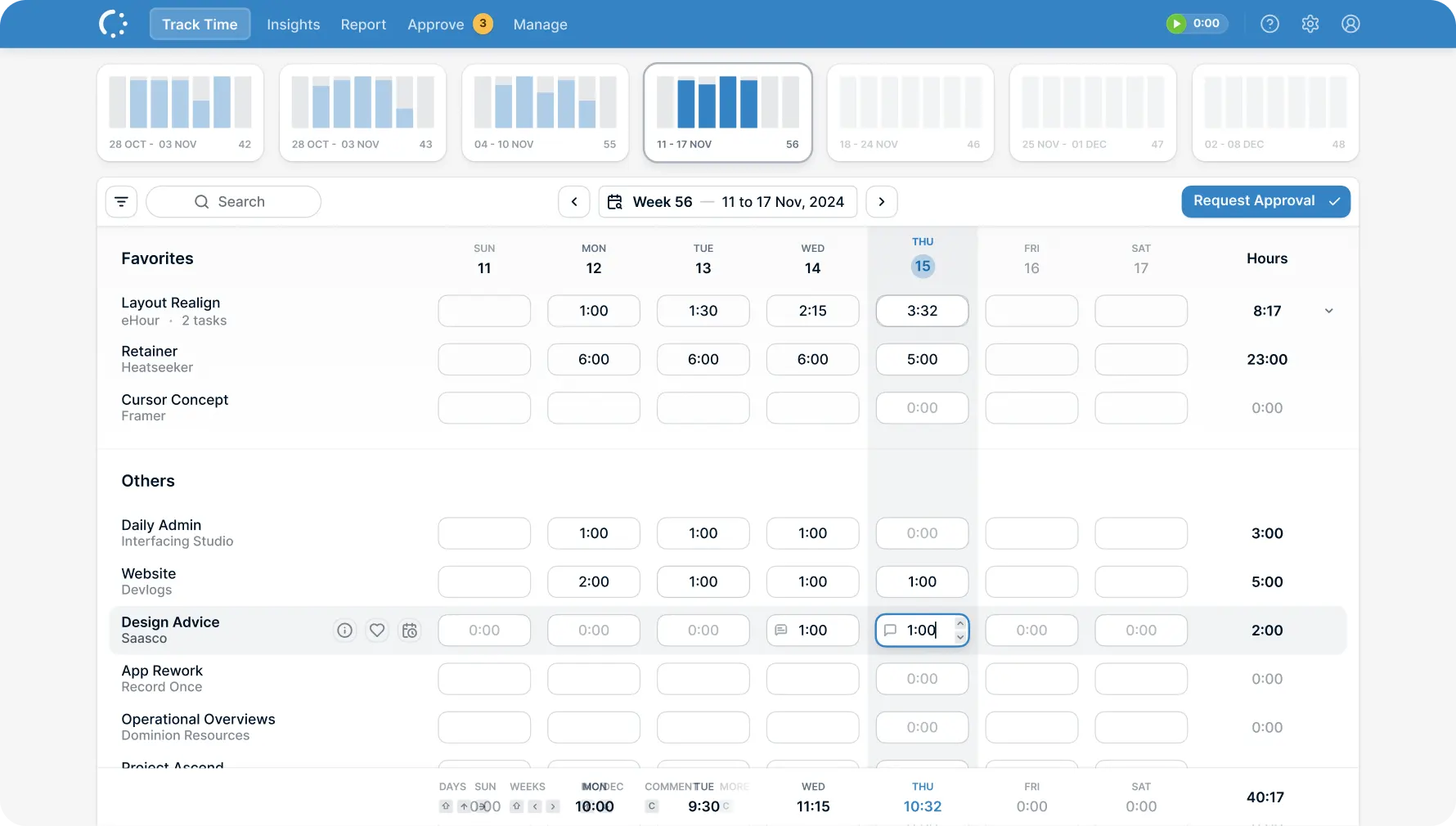
- Weekly timesheet grid. The core UI is a weekly spreadsheet-style timesheet. For many teams, that is the fastest way to enter time accurately, especially when work is planned in chunks.
- Multi-level approval workflows. You can run multi-level approvals with fallback routing so timesheets do not get stuck when someone is out.
- Project budget tracking. Track time against budgets and stay ahead of overruns.
- Billable utilization. Track billable vs non-billable hours per person, project, or client to see where revenue is leaking.
- Comprehensive reporting. Reports cover everything from project budgets to team utilization. Schedule them for email delivery or share them directly with co-workers.
- Native Jira integration. eHour includes a native Jira client that lets developers track time directly on Jira issues without leaving Jira. Projects, issues, and assignees sync automatically. No browser extension, no tab switching.
- Expense tracking. Track project expenses alongside time entries, all in one system.
- Security and admin. SSO (Microsoft Entra ID, Google), SCIM provisioning, EU data hosting, ISO 27001 certified, full audit trail.
- Extensibility. Full REST API for building custom integrations, plus a Power BI template for deeper analytics.
Honest limitations
eHour is not trying to be an all-in-one accounting suite:
- No built-in invoicing. You can export time data for invoicing, but there is no native invoice generation inside eHour. If built-in invoicing is why you chose Harvest, this is a gap. Plan on invoicing through your accounting tool instead.
- No GPS or activity monitoring. eHour is intentionally trust-based, not surveillance-based. That is a benefit for many knowledge-work teams, but it is a mismatch for field workforce tracking.
- No AI automatic tracking. If you want background AI to draft timesheets, tools like Timely and TimeCamp lead here.
When eHour is the best Harvest replacement
Choose eHour if pricing predictability is your number one requirement:
- You want predictable pricing with all features included.
- You need approvals, locking, and audit trails for reliable billing and compliance.
- Your team prefers weekly timesheets over running timers all day.
- You are mid-market and care about SSO, SCIM, and security posture.
Toggl Track - best UX, great integrations, strong reporting
Starting price: $9 to $18/user/month (annual) Free plan: Yes, up to 5 users Best for: Small teams that value slick UX and broad integrations.
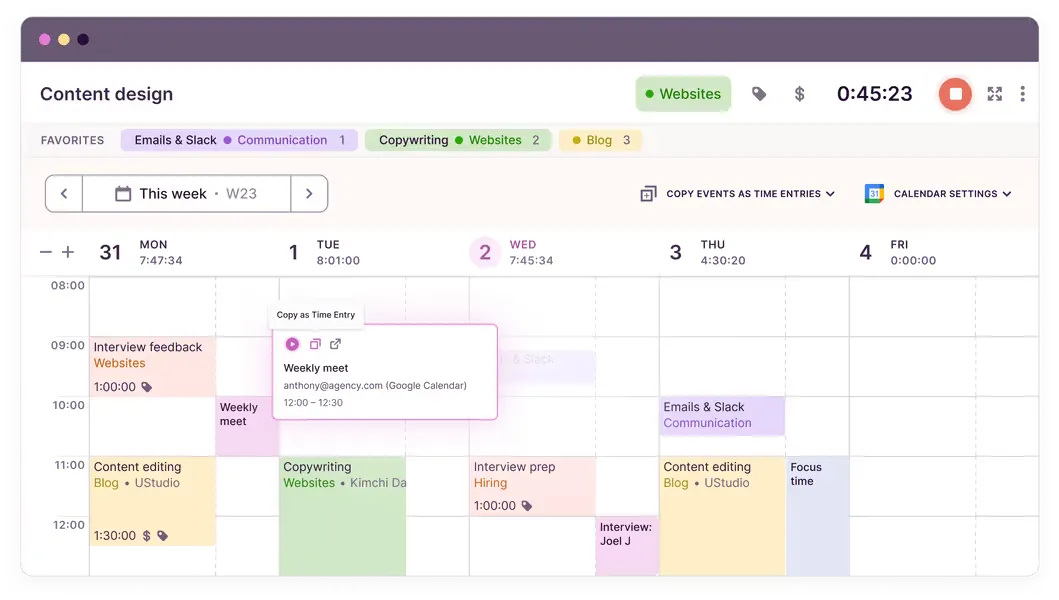
Toggl Track is often the product teams recommend when someone says, “I want time tracking that people will actually use.” The timer is fast, and the UI is friendly. It is one of the easiest ways to get adoption without heavy process.
Strengths:
- Best-in-class UX with one-click timer and quick edits
- 100+ integrations via browser extension
- Flexible reporting that works for individuals and small teams
- Premium tier adds profitability analysis, workload management, approvals, and SSO
Limitations:
- Gets expensive at scale as headcount grows
- Free plan is basic, not enough for formal workflows
- Approval workflows only on Premium ($18/user/month), a big jump if approvals are why you are leaving Harvest
Pick Toggl Track if you are a small team that wants fast adoption, minimal training, and a broad integration catalog, and you do not require strict multi-level approvals unless you are willing to pay for Premium.
Clockify - best free plan for unlimited users
Starting price: Free, paid plans $3.99 to $11.99/user/month Free plan: Yes, unlimited users Best for: Budget-conscious teams or startups that need basic tracking at zero cost.
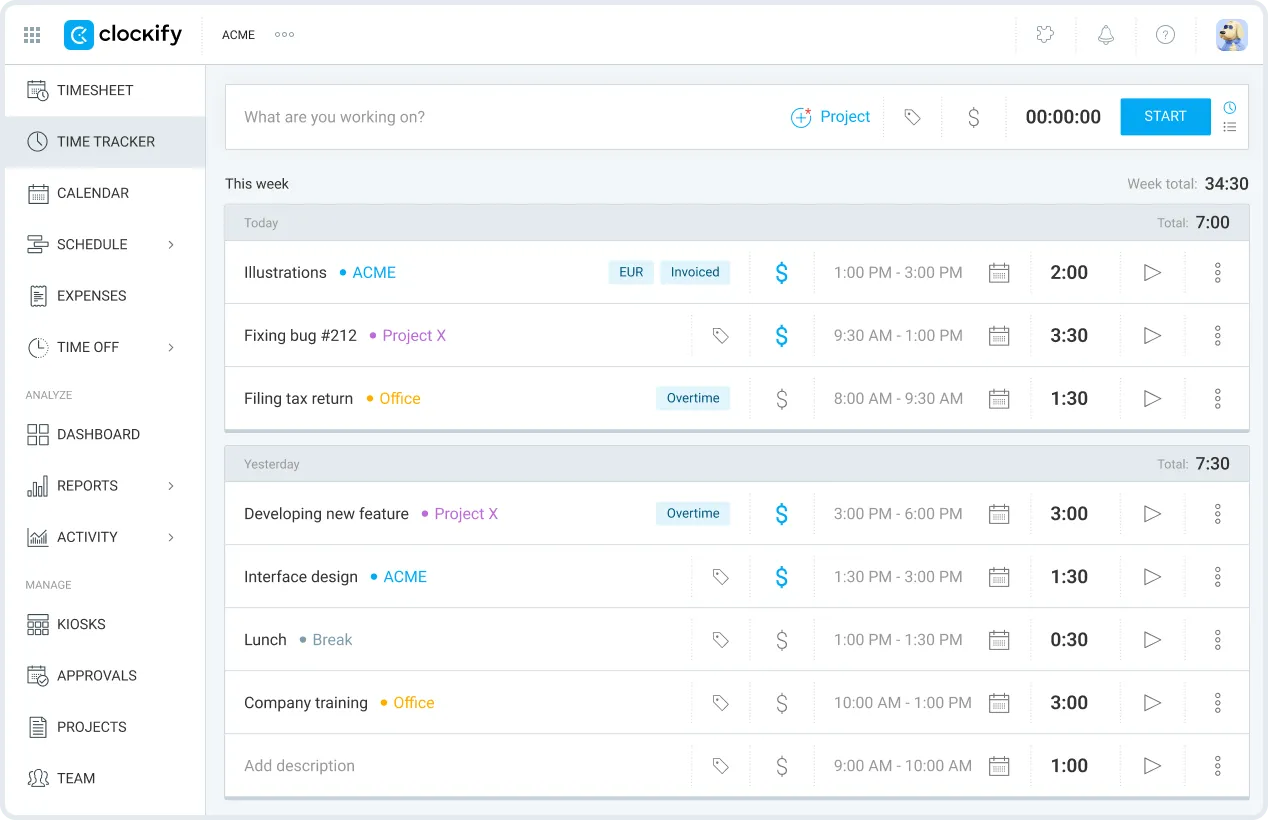
Clockify wins on one thing that is hard to compete with: you can roll it out to the whole company for free. For early-stage organizations, nonprofits, or teams with highly variable staffing, that can matter more than fancy reporting.
Strengths:
- Unlimited users on the free tier, rare in this category
- Solid fundamentals for time entry, timers, projects, and basic reporting
- Broader suite option with Plaky (project management) and Pumble (chat)
Limitations:
- Free plan lacks essentials like timesheet locking, invoicing, labor costs, and manager roles
- Teams doing client billing or internal controls usually need a paid plan
Pick Clockify if you must start at $0 and can accept lighter workflows. Good for startups that want basic tracking first, then upgrade later.
Timely - best for AI automatic time tracking
Starting price: $9 to $22/user/month (annual) Free plan: No (14-day trial) Best for: Teams that hate manual time entry and want AI to draft timesheets.
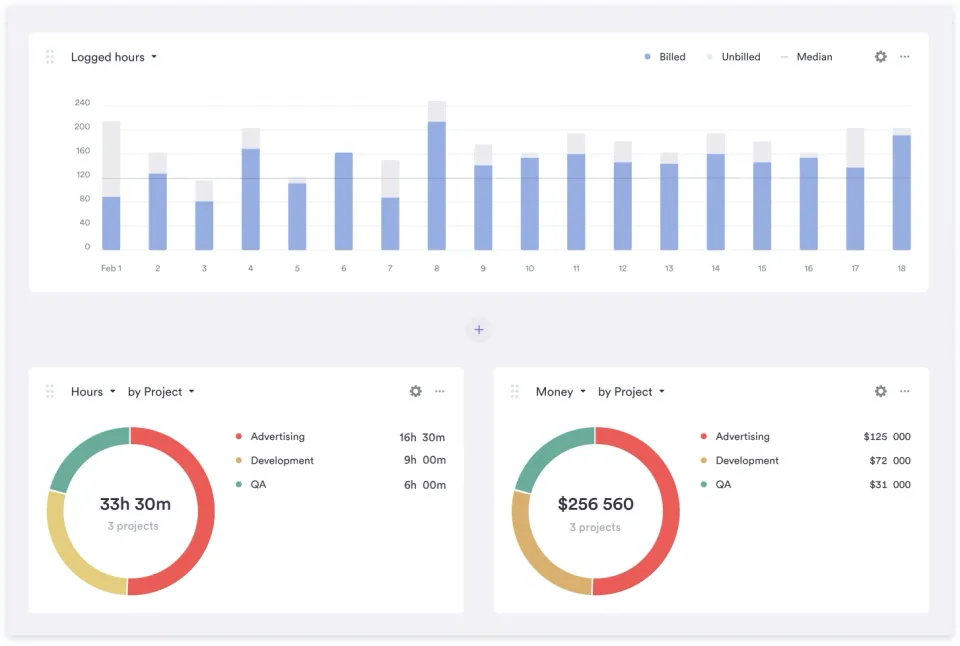
Timely is for the “I forgot to start the timer again” crowd. Instead of relying on perfect habits, Timely runs in the background and builds a timeline from app usage and calendar activity, then suggests time entries.
Strengths:
- AI-powered automatic tracking reduces manual effort and missing time
- Helps knowledge workers reconstruct days without guessing
- Especially helpful for roles that context-switch constantly
Limitations:
- Most expensive option in this list
- No free plan, you have to commit to trialing it seriously
- Requires desktop app installation, some orgs have IT constraints
- Starter plan limited to 5 users and 20 projects
Pick Timely if missed tracking is costing you real money and you can afford premium pricing. Good for high context-switch environments like agencies and consultancies.
Everhour - best embedded integrations with PM tools
Starting price: $8.50/user/month (annual), minimum 5 seats Free plan: Yes, up to 5 users (but no integrations on free) Best for: Teams already living in Asana, Jira, Trello, Basecamp, Monday, ClickUp, or GitHub.
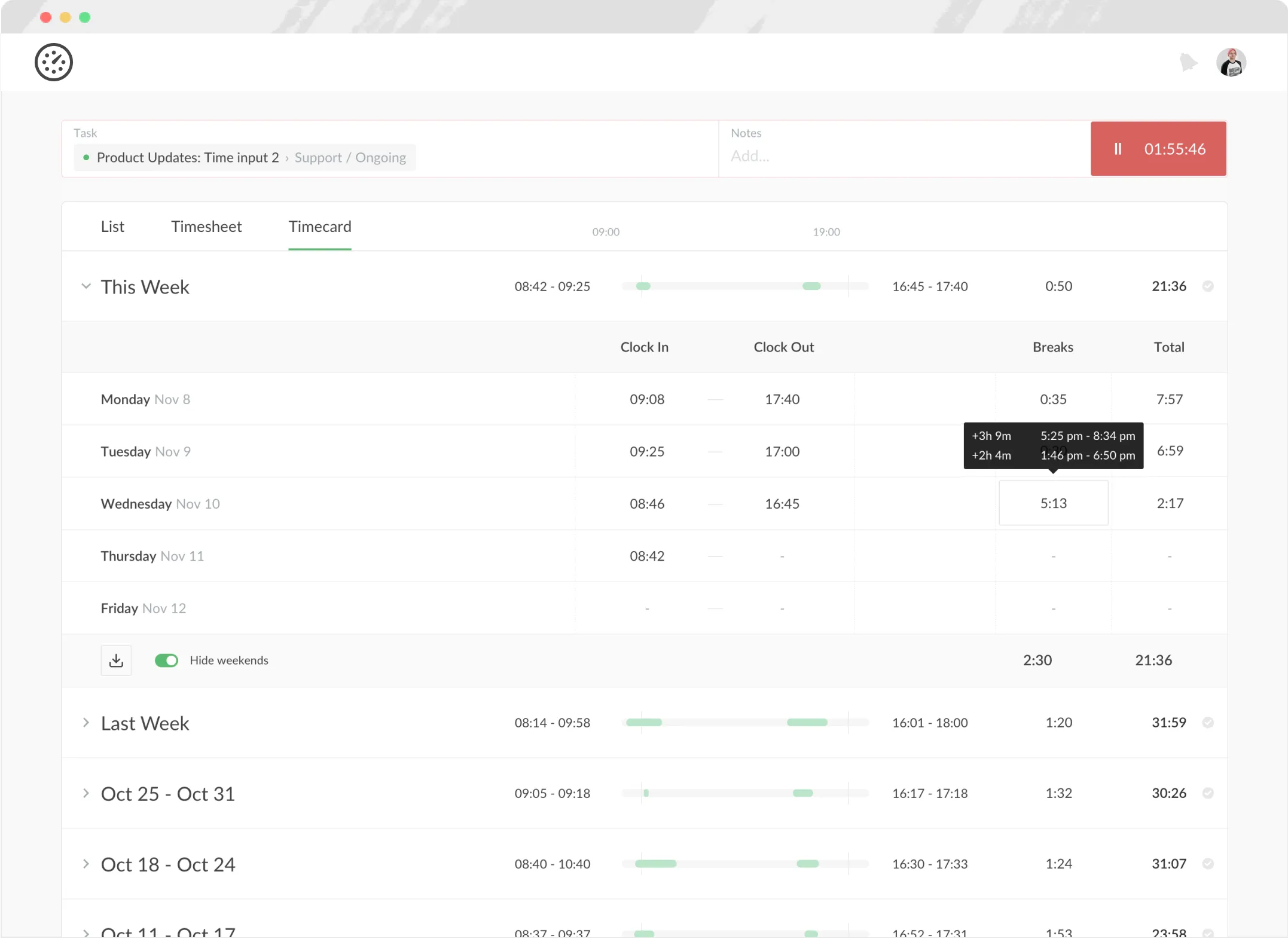
Everhour meets teams where they already work. Instead of constantly switching tabs, time tracking is embedded directly inside your PM tool.
Strengths:
- Best-in-class PM integrations for Asana, Jira, Trello, Monday, ClickUp, Basecamp, and GitHub
- In-context tracking on tasks without breaking flow
- Less “new tool fatigue” because it feels like an extension of existing workflows
Limitations:
- Free plan has no integrations, which is the core value proposition
- Minimum 5-seat requirement, not ideal for very small teams or phased rollouts
Pick Everhour if you are committed to a PM tool and want time tracking inside it. Good for agencies and product teams that manage work as tasks and issues, not weekly grids.
TimeCamp - value pick for AI tracking and discounts
Starting price: $3.99 to $9.99/user/month (annual) Free plan: Yes, unlimited users Best for: Teams that want AI tracking without Timely’s price, plus organizations that qualify for discounts.
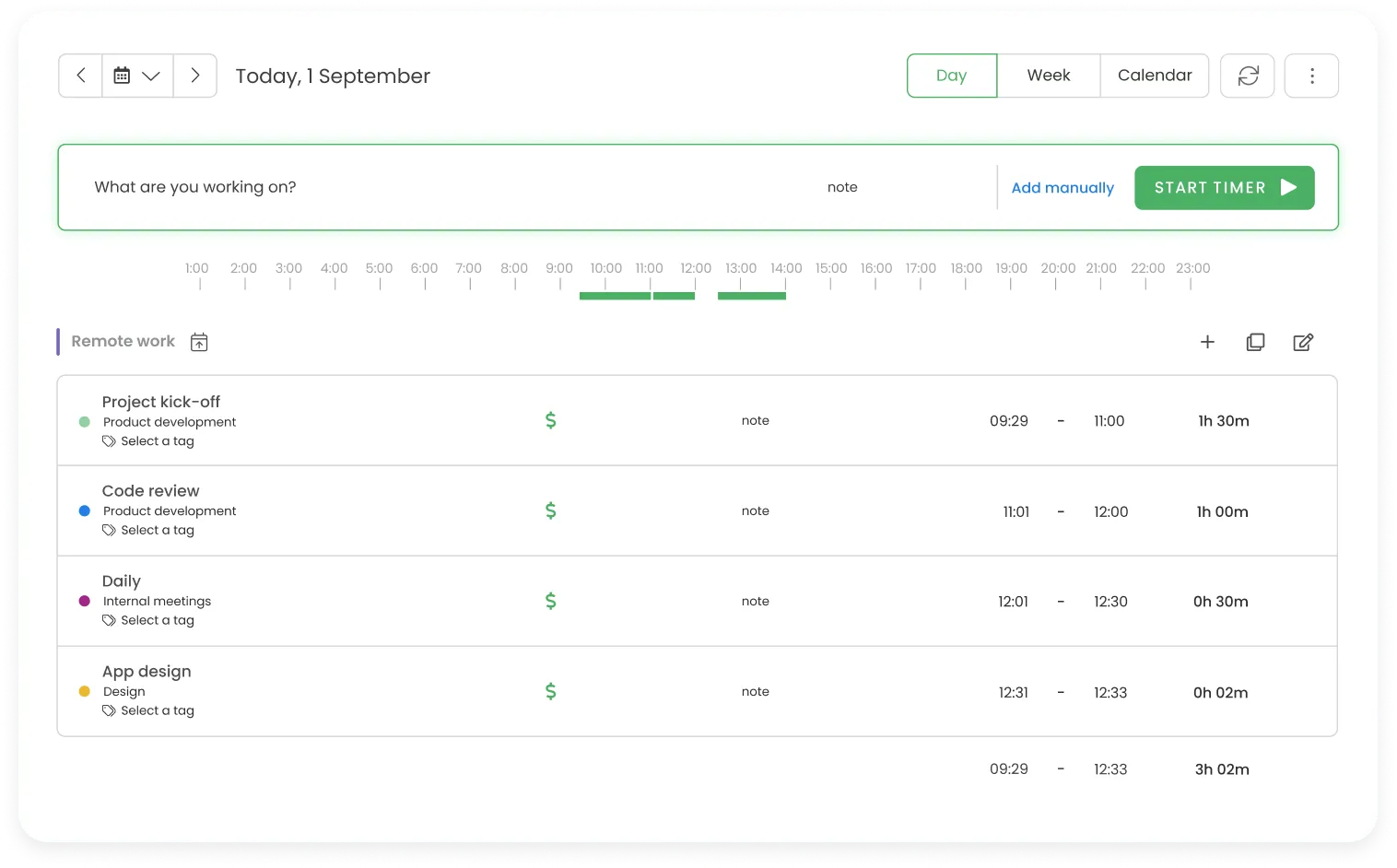
TimeCamp is a compelling middle ground: more automation than basic trackers, less expensive than premium AI-first tools.
Strengths:
- AI automatic tracking, similar idea to Timely at a lower price point
- Unlimited users on the free plan
- Around 25% annual discount and 30% discount for nonprofits and education
Limitations:
- Free plan limited to basic features and PDF export only
- Advanced features like screenshots, expenses, and approvals require the Ultimate plan
Pick TimeCamp if you want some automation and can handle tiered packaging. Especially good for nonprofits and education organizations that benefit from discounts.
QuickBooks Time - best for payroll and the QuickBooks ecosystem
Starting price: $10/month base + $8 to $10/user/month Free plan: No Best for: Teams already in the Intuit ecosystem that need payroll integration.
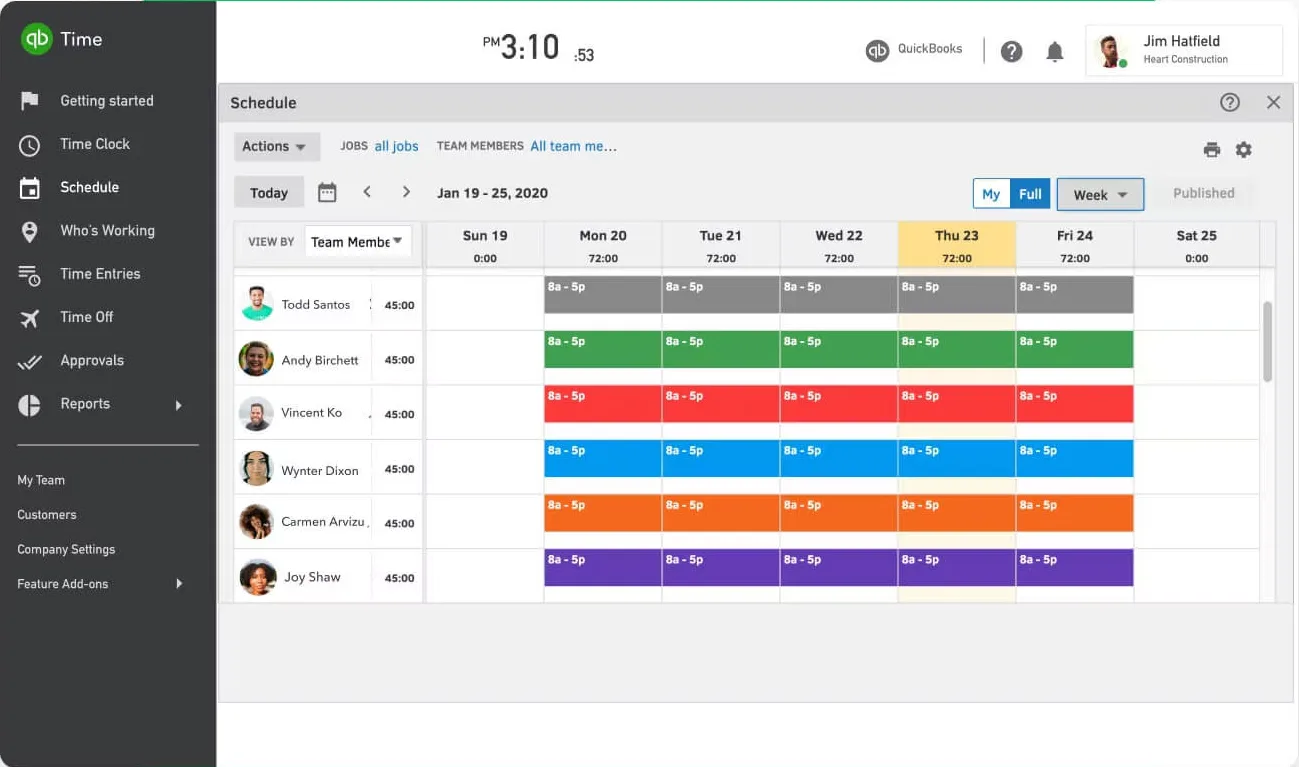
QuickBooks Time makes the most sense when time tracking is primarily a payroll input and you want minimal friction between time, payroll, and accounting.
Strengths:
- Seamless QuickBooks and payroll integration
- GPS tracking and geofencing for field services
- Time kiosk for shared devices and shift-based teams
Limitations:
- Requires QuickBooks Online subscription ($35+/month on top of QuickBooks Time)
- Highest total cost for many teams when factoring in all fees
- Overkill if you do not use QuickBooks
Pick QuickBooks Time if you are already paying for QuickBooks Online and using payroll. Good for field teams that need GPS and kiosks.
How we evaluated these tools
We tested each tool with a team lens, not just as a solo user. Our evaluation focused on:
- Pricing transparency and whether growth triggers unexpected costs
- Team features like approvals, locking, roles, and admin controls
- Reporting depth for utilization, budgets, and client billing
- Integration ecosystem, especially PM, accounting, and identity (SSO, SCIM)
- Ease of adoption, including onboarding time and daily usability
We prioritized tools that do not penalize growth and avoid usage-based billing surprises, since that is the primary reason teams are leaving Harvest in 2026.
Frequently asked questions
Is Harvest still worth using in 2026?
Harvest is still a solid time tracking tool. The product itself has not gotten worse. What changed for many teams is pricing predictability after the Bending Spoons acquisition in July 2025. If your current agreement is stable and the tool fits your workflow, there is no urgent reason to switch. If you are seeing unexpected pricing changes or are concerned about the roadmap, it makes sense to evaluate alternatives while you have time to plan a migration.
What happened with Harvest’s pricing?
After Harvest was acquired by Bending Spoons in July 2025, some customers reported significant plan changes tied to new usage-based billing. Exact outcomes vary by account, but the consistent theme across community threads is reduced pricing predictability compared to before the acquisition.
Can I migrate my data from Harvest?
In most cases, yes. A practical migration checklist:
- Export time entries with dates, hours, notes, billable flags, and project references
- Export clients and projects, including billable rates
- Export users and teams
- Capture approval history if you need auditability (not all tools import this)
- Decide on a cutover strategy: hard cutover at month-end vs parallel run for one to two weeks
If audit trails and approvals matter to you, ask the new vendor what can be imported vs what starts fresh on day one.
What is the cheapest Harvest alternative?
Clockify and TimeCamp both offer free plans with unlimited users. The trade-off is that free tiers often lack controls like approvals, locking, cost rates, or advanced reporting. If you want predictable paid pricing with stronger team controls, tools like eHour ($4.99 to $5.49/user/month, all features included) offer a good balance of cost and capability.
Which alternative is best for agencies?
Most agencies care about three things: accurate time capture, approvals, and reporting for budgets and billing.
- Pick eHour if you want weekly timesheets, multi-level approvals, budgets, utilization, audit trails, and native Jira integration with predictable pricing.
- Pick Everhour if your agency runs on Asana, ClickUp, Monday, or Trello and you want embedded tracking in those tools.
- Pick Timely if your agency loses revenue due to missed time and wants AI to draft timesheets, and you can justify the higher cost.
Try eHour free for 14 days
If you want a Harvest alternative built around transparent pricing and team-grade approvals, try eHour free. No credit card required, all features included.