Timesheet Approval Status
Intuitive color-coded timesheet statuses.
Timesheet Approval Status
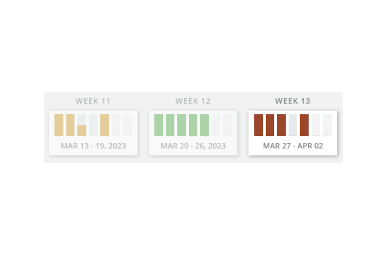
We have improved the visibility of the timesheet status by adding color coding to the week slider above the timesheet. You can now quickly identify the approval status of each day based on the day’s color.
Green indicates that the timesheet has been approved, yellow indicates that it is pending approval, red marks that it is rejected, and the default color means that approval still needs to be requested.