Lock timesheet entries
We improved the Time Locks feature. Admins or Managers can lock time to prevent back-dated entries from being entered or edited. Once a timeframe is closed, no one can change or add their time entries or expenses.
Introducing the improved Time Locks
We improved locking timesheet entries in eHour.
Administrators and Managers often worry about users making changes to past-time entries. It’s an understandable concern- if users can go back and change their time entries, it becomes difficult to trust the data. It can also affect compliance and audits results.
The improved Time Locks in eHour, allow you to lock time in the past to prevent back-dated entries from being entered or edited. Once a timeframe is closed, no one can change or add their time entries or expenses.
You have complete confidence that the data in your system is accurate and up-to-date. You can run reports with full confidence, knowing that the data is reliable.
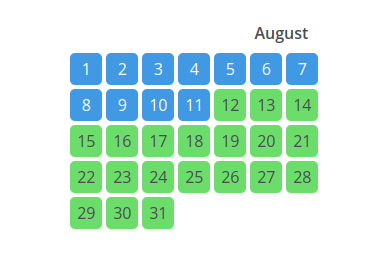
The improved UI gives you a quick overview of all locked days in a year. Did a user forget to fill out their hours or need to correct a time entry? You can exclude specific users or even whole teams from a lock.
Do you need only to close a specific project, for example, when you want to bill a specific project to a client? A lock usually closes everything, but you can also limit it to a set of projects.
In addition, users can be informed why a day is locked - straight in their timesheet. This way, it’s clear why they cannot change their time entries.
Finally, rates, turnover, cost and margin are frozen for the locked timeframe. You can change the user’s hourly rate without affecting turnover.
The summary of what’s new:
- The improved UI gives you a quick overview of all locked days in a year.
- Exclude users and teams from a lock, which is helpful if someone needs to correct their hours in a locked timeframe.
- Usually, all projects on a timesheet are locked. You can now also pick specific projects to close.
- Users can be informed why a day is locked.
- Rates and turnover, cost and margin are locked as well. After closing time, you can change the user’s hourly rate without affecting turnover.
The Time Lock feature is a valuable tool that can help keep your data accurate and up-to-date.